/ LinkedIn post generator for developers who build first
Turn code into a LinkedIn post in 60 seconds.
Generate a clean code image + a LinkedIn-ready caption, then publish via the LinkedIn API (no copy/paste). Send code from VS Code/Cursor, your browser, or just paste a snippet.
- Less than 1 minute per post once your defaults are dialed in.
- One flow—no ChatGPT + image generator + formatter toolchain.
- Your voice—pick a tone, or import 3–5 of your own posts to match your style.
Sign in with LinkedIn • First post in ~2 minutes
The problem
Posting code takes longer than it should.
To stay consistent, you need a repeatable workflow. Doing it by hand means writing a caption, creating an image that doesn’t look like a rushed screenshot, and pasting into LinkedIn—then fixing what broke in transit.
The snippet isn’t the bottleneck. The packaging is.
The writing tax
A five-line fix turns into caption drafting, formatting, and second‑guessing the hook.
The toolchain tax
ChatGPT + image generator + formatters + extra tabs = context switching. That’s how posting stops happening.
The shift
One flow. Snippet in. Post out.
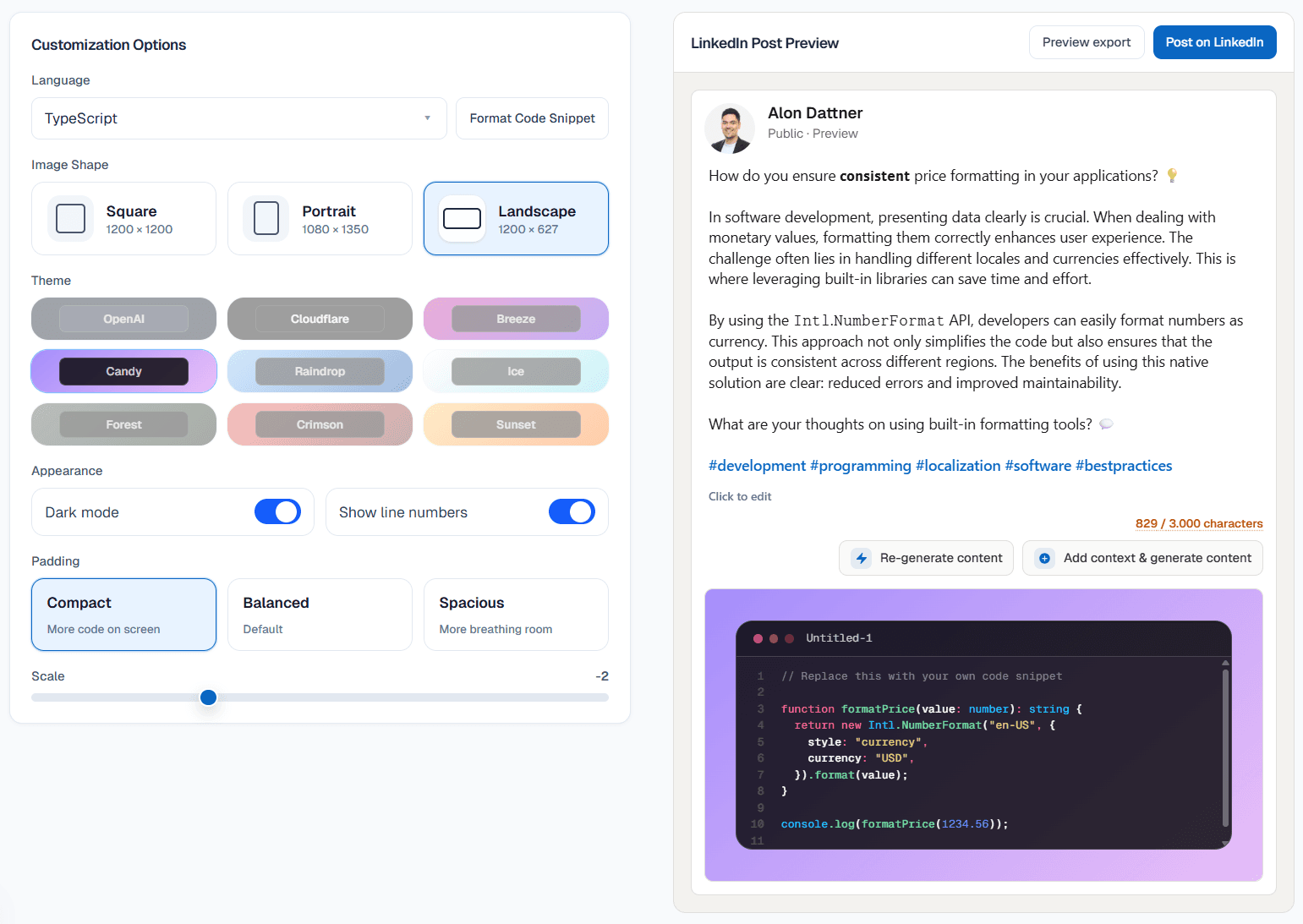
Stop chaining formatters, image tools, and extra tabs. Send the snippet, generate a clean code image + caption, review, and publish via the LinkedIn API—no copy/paste relay.
Before
Paste into ChatGPT, open a code-image tool, format the text for LinkedIn, then paste everything into LinkedIn and fix spacing again.
With code2post
Send code from your editor/browser (or paste), generate image + caption, tweak, and publish from the same screen. No tool-hopping.
Send from your editor
Right‑click. Send snippet. Done.
Skip the copy/paste loop. Select code and choose "Write LinkedIn Post".
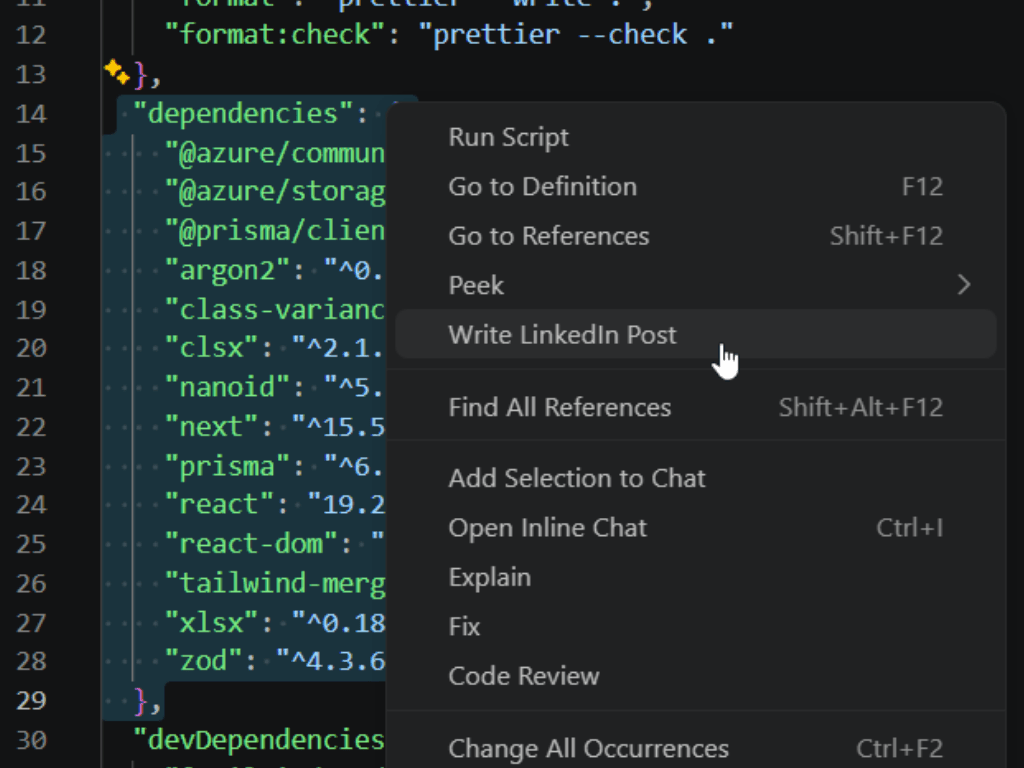
From VS Code
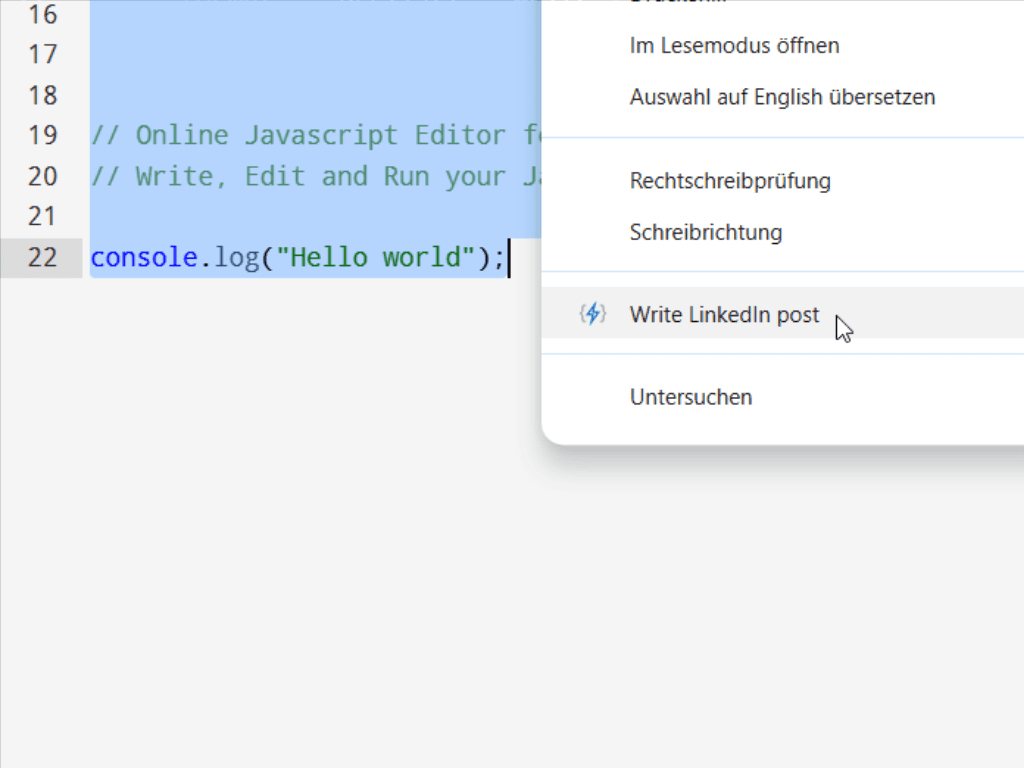
From the browser
Workflow
Three steps. No tool-hopping.
Code → image + caption → publish. Onboarding is required once so your output matches your style.
- 01
Sign in + send your snippet
Sign in with LinkedIn, run onboarding once, then send a snippet from your editor, browser, or paste it manually into the app.
- 02
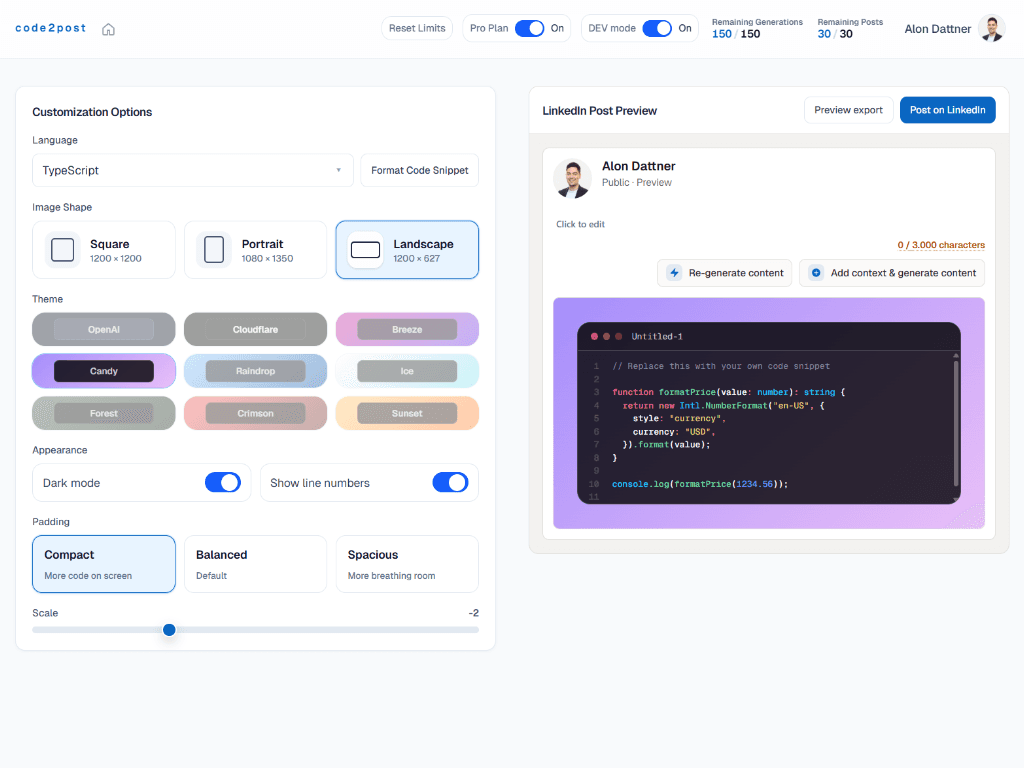
Generate image + caption
Generate a clean code image and a LinkedIn-ready caption in one pass—then tweak anything you want.
- 03
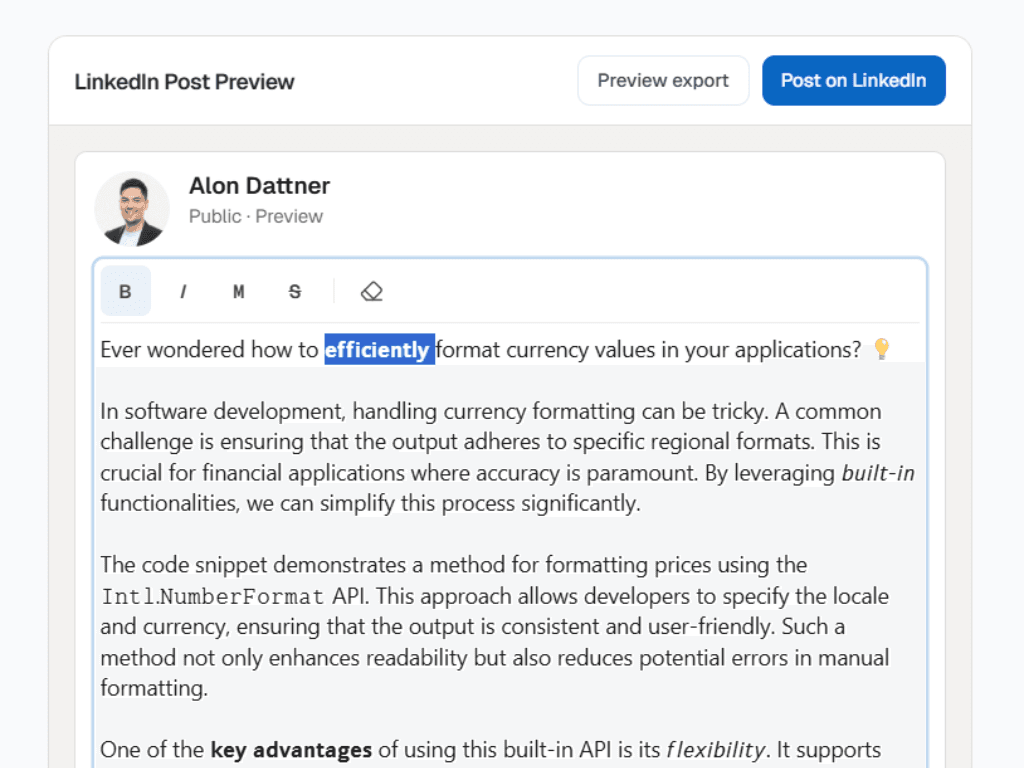
Review and publish
Scan, adjust, and publish to LinkedIn from one place—without rebuilding the post elsewhere.
Time savings
Consistent posting shouldn’t eat your sprint.
If you want to post regularly, the manual workflow adds up fast: formatting, image creation, caption writing, then pasting into LinkedIn and fixing spacing.
Manual (typical)
Formatting + screenshot10–20 min
Code formatting / screenshot editing5–10 min
Pasting + fixing in LinkedIn2–5 min
With code2post
Send snippet inseconds
Generate image + post< 30s
Review + publish< 30s
Pricing
Hours formatting posts—or about the price of a coffee to automate the grind.
Create consistent content without breaking your workflow. Free is a full solution for people who post a couple times a month. Move to Pro when you need higher monthly limits, extra code-image themes, and no watermark.
If one post saves you ~15 minutes, Pro pays for itself after a single post.
Free
A complete plan for occasional posting (2–3 posts/month).
- Image + draft + publish in-app
- Publish to LinkedIn via API (in-app)
- 3 LinkedIn posts / month
- 15 post generations / month
Everything you need for 2–3 posts/month. Upgrade when you want higher monthly limits, extra themes, and no watermark.
Create your first postPro Yearly
€47.88 billed yearly
Save ~20% vs monthly (€4.99/mo)
Best value if you post weekly.
- 30 LinkedIn posts / month
- 150 post generations / month
- Additional code image themes
- No watermark on code image
More monthly volume + extra themes + no watermark—built for consistent posting.
Start Pro trialTrial requires card.
Pro Monthly
Same Pro benefits, month to month.
- 30 LinkedIn posts / month
- 150 post generations / month
- Additional code image themes
- No watermark on code image
More monthly volume + extra themes + no watermark—built for consistent posting.
Start Pro trialTrial requires card.
FAQ
Straight answers
~ back to building
Spend less time packaging posts. Spend more time shipping code.
Sign in with LinkedIn, run onboarding once, then publish your first post in about 2 minutes.
Sign in with LinkedIn • First post in ~2 minutes